
Scientific Hardware Diagram 3D Render Optical
Prompt
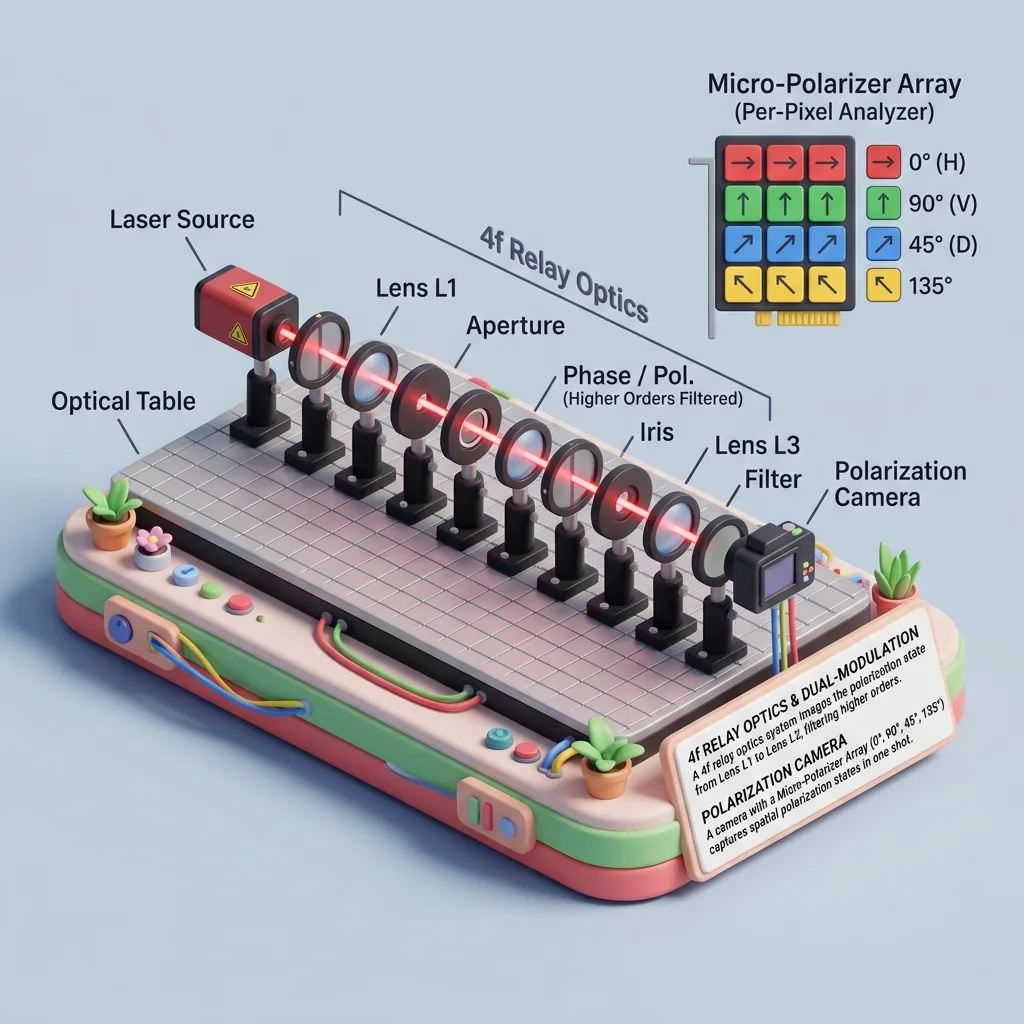
scientific hardware diagram. 3D render of an optical table with a red laser beam passing through 11 aligned optical components mounted on black posts. 4f Relay Optics. Lens L1 to Lens L2. (Phase / Pol. (Higher Orders Filtered). Polarization Camera Micro-Polarizer Array (Per-Pixel Analyzer). 4x4 grid of colored squares with directional arrows. Red square, horizontal arrow, 0° (H). Green square, vertical arrow, 90° (V). Blue square, diagonal arrow, 45° (D). Paragraph of scientific text explaining the dual-modulation configuration, 4f relay optics, and polarization camera. Composition: a 1:1 frame with the miniature or character centered on a clean base, generous empty space around it, and a camera angle that shows two faces of the scene at once — a three-quarter or top-down isometric view that makes the whole object readable in a single glance. Lighting: soft, even studio lighting with a warm key from the upper left and a gentle fill from the right, casting one soft shadow beneath the subject. Highlights stay smooth on the rounded surfaces, the shadows are short and diffused, and the whole render feels bright, clean, and tactile. Materials and mood: soft rubber, fuzzy fabric, polished plastic, and matte ceramic combined in one scene, each material distinct at a glance. The colors are saturated but controlled, the mood cheerful and crafted, like a designer toy photographed in the best possible light. Style anchor: premium stylized 3D render — soft clay-like surfaces, clean silhouettes, and a collectible miniature feel. Details: tiny countable props — cups, books, plants, buttons — each modeled with clean edges and crisp silhouettes, plus subtle surface texture like fabric weave or wood grain that rewards a close look without ever turning noisy. Environment: a plain, softly lit backdrop — a solid pastel tone or a gentle gradient — with a single soft shadow anchoring the model, so the miniature itself is the entire world of the image.
Prompt details
| Works best in | Nano Banana 2.1 |
| Aspect ratio | 1:1 |
| Commercial use | Yes — output license follows the model you run it in |
Why this prompt works
Subject: scientific hardware diagram. Composition: a 1:1 showcase frame with the miniature centered on a clean base and generous space around it. Lighting: soft even studio light with one gentle shadow beneath the model and smooth highlights on rounded surfaces.
How to use a prompt
- Copy Prompt
- Open the model named above
- Generate
Source: PixAttic Studio (original seed entry). Aggregated entries always credit their original author here, with a link to the source post. DMCA · Report or request removal
Prompt adapted and expanded from @HumanOS_v2 · via PicGens. All images on this page were generated by PixAttic Studio using the prompt above.